Buy Rob Run ESP & radar: Lite setup after purchase
Rob Run Lite ESP and radar after purchase—player tags, loot ESP, radar overlay and stream-proof mode. Setup timeline and when to step up to Pro or Elite.
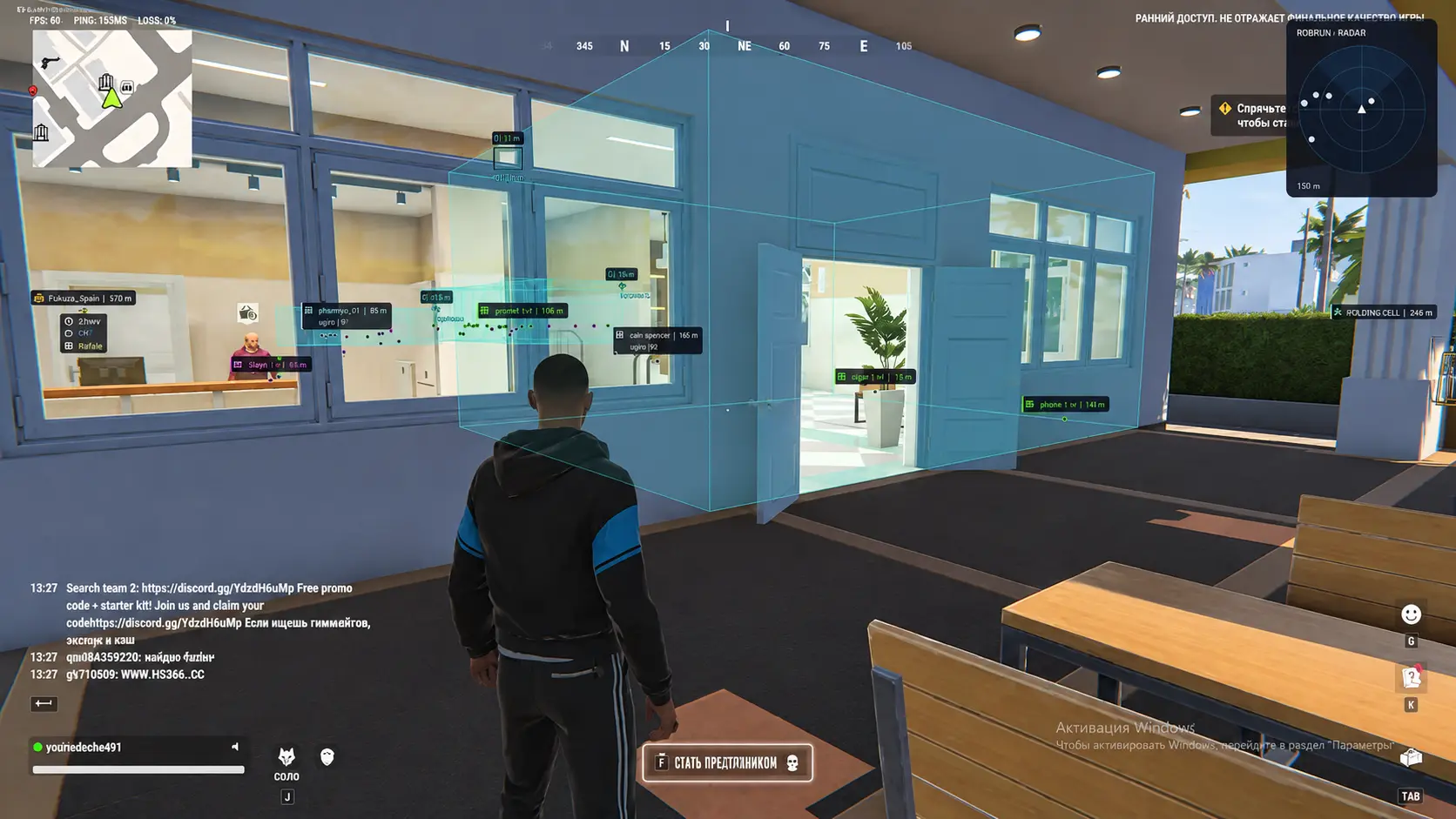
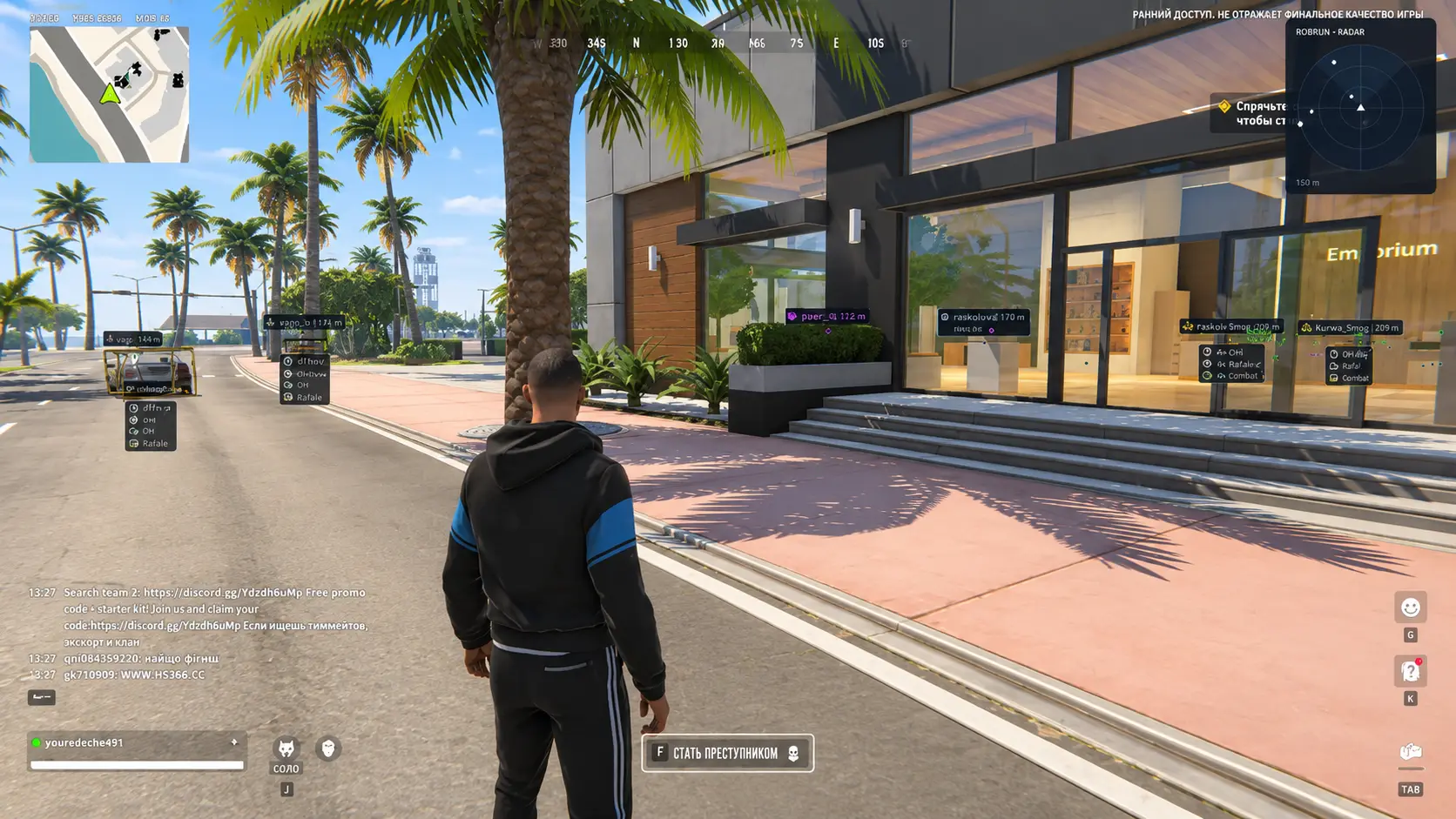
ESP and radar are the most popular reason to buy Rob Run cheats. They turn guesses into information. Lite is the entry tier that delivers both, and this page shows what the setup looks like after purchase so you know what you are buying.


What Lite gives you
| Feature | Included in Lite | Notes |
|---|---|---|
| Player ESP | Yes | Boxes, names, health, distance, optional skeletons |
| Loot ESP | Yes | Players, loot, safes, and objectives |
| Objective highlights | Yes | Capture points, airfields and bonus zones |
| Radar overlay | Yes | Compact corner display |
| FOV hack | Yes | Wider view for CQB fights and indoor PvPs |
| Stream Proof | Yes | Hide overlay from capture |
Setup after checkout
Log into the operator portal, download the loader, enable the overlay and start with a minimal layout. Confirm ESP lines up with the in-game view and does not cover the HUD or crosshair.
Recommended defaults
- Player ESP distance cap: 150 to 250 meters.
- Loot ESP: short vehicle list, tight distance.
- Radar: corner away from the minimap, modest range.
- Add features one at a time rather than all together.
When to upgrade
If you also want aim assist and recoil control, step up to Pro. If you want the full radar suite, farm helpers and Cosmetic preview, see Elite. Compare in Lite vs Pro.
Pair with FOV hack
A modest FOV increase plus ESP gives better context in CQB fights and close-range fence-line fights.
Browse Lite ESP radar packages → Checkout for Lite ESP tools. Overlays are third-party software; follow the EAC patch day checklist after updates.